For hosts · free plugin for ChatGPT
AI vacation rental manager in ChatGPT.
AI vacation rental manager in ChatGPT: your AI assistant updates your listing, prices, calendar and guest messages on BookNoFees as soon as you say what should change. It works with a free ChatGPT account.
Your assistant changes only what you ask for, with the tools your connection allows. You can disconnect it in your account at any time.

Your channels
Your channel manager stays
Connect Smoobu, Hostaway or another channel manager, and depending on the program, listings, prices and calendars come across on their own. Without a channel manager, a calendar link keeps your dates in sync.
Smoobu
Property data, prices, availability and minimum stays come across from Smoobu. Photos and descriptions are added separately.
Hostaway
Property details and photos come across, then prices, availability and stay restrictions are synchronized.
Xentra and Smartness
Xentra: paste your API key once, and every unit becomes a draft with its price and calendar. Smartness: connected with your approval, its calendar blocks dates here every hour.
Guesty
We connect Guesty with you on request. Your listings arrive as drafts, and their calendars and prices then follow Guesty.
No channel manager? Calendar links
Connect your Airbnb, Booking.com and Vrbo calendars with a calendar link (iCal). Bookings there block your dates here, and your BookNoFees calendar has its own link for the portals.
Import from a link
Paste your listing’s link from Airbnb, Booking.com or Vrbo. Photos and facts come across, the text is written fresh, and you check and publish.
With AI
Manage everything by saying it in ChatGPT
List a home from the chat
Paste its link on Airbnb, Booking.com or Vrbo, or tell your assistant the facts and attach your photos. It creates the draft and submits it for review.
Texts, photos, visibility
Rewrite the title and description, change the photo order, or ask for a home to be shown to Family & Friends only.
Prices and seasons
Set the nightly price, prices for single dates, seasonal surcharges and discounts.
Calendar
See your calendar day by day, block dates, set minimum stays and, for a listing with a single unit, connect the calendars of other portals.
Bookings and payouts
See your bookings and your payouts, and accept booking requests.
Guest messages
Read and answer guest questions before and after a booking. Each answer goes out only after you approve the exact text.
Start in three steps
From your listing to your assistant
List or connect
Create your listing for free, import it from a link, or connect your channel manager.
Add BookNoFees to ChatGPT
Open the plugin in ChatGPT and sign in once with your BookNoFees account. The plugin is free.
Say what you want
Tell it what should change, for example a price, a blocked week or a reply to a guest. You see the result in your account at any time.
Set up in a minute
Add BookNoFees to your assistant
You sign in once with your BookNoFees account. The plugin is free.
If the ChatGPT page shows an Open button at the top, tap it to finish connecting in the ChatGPT app.
- On the BookNoFees page in ChatGPT, choose Install plugin.
- Connect your BookNoFees account when prompted.
- Sign in with BookNoFees and tap "Allow". Done.
Your connector address
https://booknofees.es/api/mcp- In Claude's settings, under Connectors, tap "Add custom connector".
- Name: BookNoFees. Paste the address above, tap "Add".
- Tap "Connect", sign in with BookNoFees, tap "Allow". Done.
Extra income
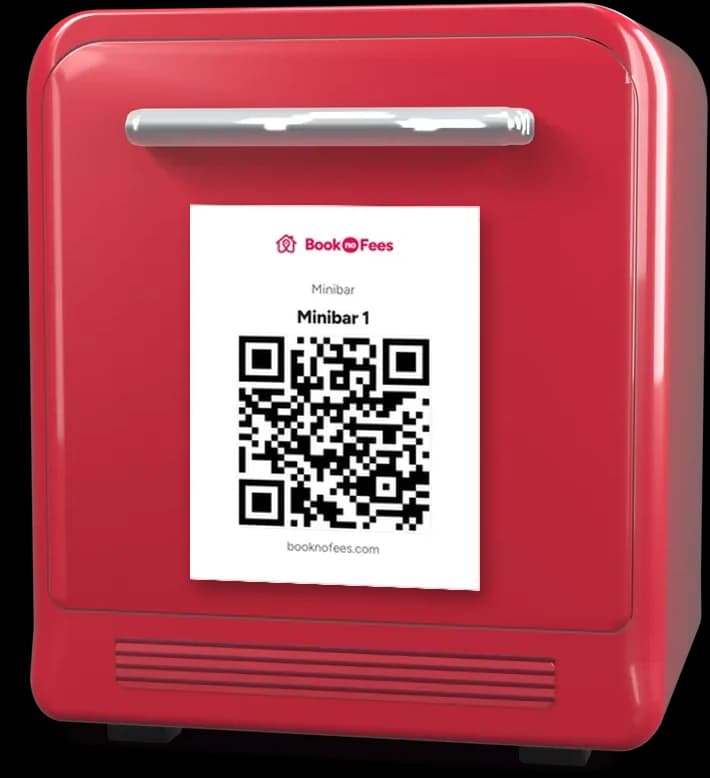
Minibar and shop in your home
Fill a fridge with drinks and snacks, or sell extras such as a late check-out. Guests scan a QR code and pay by phone, and you receive the price you set in full.
In ChatGPT you set both up by saying it: products, prices and stock.
Does BookNoFees replace my channel manager?
No. BookNoFees is a booking site that connects to your channel manager and takes your listings, prices and calendars from it, depending on the program. Your channel manager stays where you run your other portals. Without one, calendar links keep your dates in sync.
Can the assistant change something without asking me?
It acts on what you tell it, only on listings your account may manage and only with the tools your connection allows. If you want to check a change first, ask it to show you the change before saving it. You can disconnect your assistant in your account at any time.
What does it cost?
Listing and the ChatGPT plugin are free, and the plugin works with a free ChatGPT account. Hosts pay 0 % booking commission; guests pay a contribution on top of your price, shown in their total. Your channel manager’s own subscription stays with that provider.
Which channel managers can I connect?
Smoobu, Hostaway, Xentra and Smartness you connect in your account; Guesty we connect with you on request. For another program, paste its API key in your account and tell us which one it is: if we already connect it, it is connected right away, and if not, we tell you whether we can.